Embrace God's truth with our new book, The Lies that Bind

10 Inspiring C.S. Lewis Quotes

C.S. Lewis is a best-selling Christian writer and a professor of medieval English literature at Oxford and Cambridge universities. He is famously known for his best-selling children’s series, The Chronicles of Narnia. His gift for words lives on many of his worksC.S. Lewis quotes have the power to strengthen our faith and bring us spiritual inspiration.

Jeremiah Braudrick, from Norman, Oklahoma knows this better than anyone. As a Marine veteran, Brauderick was struggling with his faith. While on Facebook one day, he came across a random quote. It read: “I have found (to my regret) that the degrees of shame and disgust which I actually feel at my own sins do not at all correspond to what my reason tells me about their comparative gravity.” It was a C.S. Lewis quote.

The words stuck in Braudrick’s mind. “I heard a simple message,” he said in his Guideposts story. “Maybe my feelings of spiritual worthlessness weren’t the final word about me. Maybe I wasn’t the best judge of God’s attitude. Maybe I had a chance after all.”

As an infantryman who fought on the frontlines in WWI, Lewis understood the psychological wounds that soldiers carried with them. He also struggled with his faith as well, even turning his back on God for a long period of time. Because of this, Brauderick read even more of Lewis’ works, including Mere Christianity and Surprised by Joy, Lewis’ spiritual autobiography. In it, Lewis talks about the moment he accepted God again. “Reading C. S. Lewis, I realized God… knows my faults and loves me anyway,” said Brauderick. “I’m a work in progress. God’s work in progress.”Brauderick is now a pastor and continues to use C.S. Lewis quotes and writing to bring himself and other spiritual inspiration.

Here are some of C.S. Lewis’s most profound quotes:


10 Inspiring Caregiver Stories

March 3rd is Caregiver Appreciation Day! Guideposts is highlighting some of the inspiring stories about caregivers we’ve done over the years. From celebrities and professional caregivers to everyday people taking care of loved ones suffering from Alzheimer’s, dementia and other illnesses, here are the stories that left us feeling hopeful and gave us a renewed appreciation for caregivers. 

10 Health Apps To Help You Stay On Track

Looking for ways to stay active and healthy during the current crisis? Luckily, there are plenty of apps for that. 

We’ve rounded up a handful of apps—for both iOS and Android phones—to make exercising, eating right, and keeping your mind sharp a bit easier. From guided meditations to Covid-19 tracing and programs that promise to improve your sleep, these apps have every aspect of your health covered. 

The Daily Bible Large Print relaunch with digital free gift in article ad

1. Headspace

Meditation can be beneficial, but also difficult to master. This app has cracked the code to achieving a mindful state in just a few minutes. There are a handful of free meditation guides offered, including a “Basic” package and even more paid offerings. The best thing about Headspace, besides the easy-to-follow sessions, is the variety of meditation courses. 

2. Apple Covid-19

Apple partnered with the Centers for Disease Control to launch this Covid-19 app, which functions as a sort of hub for all your coronavirus needs, including a list of testing locations near you and a screening tool to input your symptoms if you’re feeling ill. And because both the CDC and FEMA worked with Apple on this, there’s also credible information on the virus, how it spreads and updates on vaccination trials, recovery rates, and other need-to-know news.

3. Sworkit 

Meaning “simply work it,” Sworkit promises an easy, fun sweat session whether you’re just starting your exercise routine or looking for a way to ramp up your training schedule. The draw here is that you can choose how long you want your workouts to be—from one minute to 90 minutes—input your goal, and then the app customizes a routine to fit your needs. There are trainers and professionals available for consultations, but even if your aim isn’t to lose weight or build muscle, this app has a way to help.

4. Waterlogged

One of the best things we can do for our health is stay hydrated, which is made easier with Waterlogged. You can set your goals each day, track how you’re doing and schedule reminders for times when you know you usually forget to drink water. But the most helpful part of this app is that it allows you to take photos of your glasses or bottles and measures the water they hold. That way, if you have a favorite cup you normally drink out of, you can just hit the customized icon and the app will calculate how many of those you need to drink that day.

5. Sleepscore

Stress can make sleep hard to come by and we’re all holding onto a bit more of it these days, which is why a sleep monitoring app like this peer-reviewed program might be worth the download. With the help of scientists and sleep experts, Sleepscore has devised a way to track your sleep patterns—by monitoring but never recording your movement and breathing during the night—to analyze the different stages of your nighttime activities. It can tell you how long you were in REM, how many times your body woke up, how restless you were, etc. It then gives you tips for improving your sleep, including a customized sleep score, a goal sleep score and daily reminders on everything from when to put down the caffeine to the optimal time to wake up according to your sleep pattern.

6. My Fitness Pal

My Fitness Pal offers plenty of helpful tools (for free) for anyone interested in achieving a healthier lifestyle. That doesn’t necessarily mean losing weight, although the app does help with that. Instead, My Fitness Pal gives you an easy way to keep a food diary, encouraging mindful eating with reminders and tools for calculating the micro and macronutrients you’re getting each day. It even offers healthy recipes and exercise tips should you want them.

7. Pocket Yoga

Yoga is an ancient practice that’s especially great for those hoping to activate their muscles, improve their balance and focus their mind. There are so many benefits, but they require people perfect the various poses, which is why we love Pocket Yoga. Along with guided sessions, soothing background music and the ability to unlock new environment, this app offers beautifully illustrated examples of over 300 poses, plus a dictionary of what each pose is called and its respective benefits. You’ll be a skilled yogi in no time.

8. Medisafe

Medisafe is one of the top medication monitoring apps, offering so many extras on top of your normal pill reminder programming. You can input all your medications, plus the time of day you take them and the app will alert you if there are any interactions you should know about. It will also remind you if you miss a dose. You can also send your health information to your doctor so he or she can monitor your drug intakes and add a Medifriend, who will be alerted if you fail to take your medicine. That, along with refill reminders and coupons for drug discounts, make this a must-have medication monitoring app.

9. Lumosity

We all know how important it is to keep our bodies active, but training your mind is just as vital to a long and healthy life. That’s why we appreciate the science and gameplay behind Lumosity, developed by experts to give your brain the ultimate workout. You can choose the type of play—cognition, language, math, etc.—measure your baseline, and track your scores the more you play, seeing how they stack up against people of the same age and gender as you.

10. 7-Minute Chi

Another terrific workout for seniors, Tai-Chi combines meditation with fluid movements meant to improve your balance and stability. The 7-Minute Chi app aids you in perfecting the breathwork and mindfulness that really elevates this exercise routine, complete with guided sessions that instruct you on breath syncing and customize workouts to your skill level.

10 Essentials to Get Ready for Winter

A light dusting of snow can be a holiday treat, but cooler weather also increases the risk of dangerous winter storms. Whether you call them blizzards or polar vortexes, these storms bring below-freezing temperatures, mountains of snow, power outages, road accidents and more. They often wreak havoc and can bring life to a halt, putting at-risk groups like children, the elderly and the sick in danger.

A little preparation can go a long way to keeping your loved ones safe this winter. Here are a few essentials to stock up on this blizzard season:

10 Cyber Security Best Practices for Older Adults

Content provided by Home Instead Senior Care.

Practicing cyber safety can go a long way toward protecting your identity and sensitive personal information. Cyber security is about risk reduction. It’s difficult to achieve perfect security. But you can work to make yourself a more difficult target.

New Every Morning Journal In Article Ad A

Consider these tips and take the “Can You Spot an Online Scam” quiz at www.protectseniorsonline.com

1. Create passwords and make them strong. Half of seniors do not use the password feature on at least one of their internet-enabled devices, leaving it open to whomever may pick it up, according to research conducted by Home Instead, Inc., franchisor of the Home Instead Senior Care network. 

Lock all of your devices including computer, tablet and smartphone with secure passwords. That will keep prying eyes out and add a line of defense in case your devices are lost or stolen. A strong password is at least 12 characters long. Strong password tips include a mix of letters, numbers and symbols, and try not to include personal information.

2. Secure access to your accounts. Since passwords can be stolen, adding two-step authentication to accounts provides a second layer of protection. Many online services, including apps and websites, offer free options that could help you protect your information and ensure it’s actually you trying to access your account – not just someone with your password. 

Learn to “Lock Down Your Login” at www.lockdownyourlogin.com. And, for more information about two-step authentication, go to www.turnon2fa.com.
 
3. Think before you act. Emails and communication that create a sense of urgency such as a problem with your bank account or taxes is likely a scam. Consider reaching out directly to the company by phone to determine if the email is legitimate or not.

4. When in doubt, throw it out. Clicking on links in emails is often how scammers get access to personal information. If an email looks unusual, even if you know the person who sent it, it’s best to delete it. 

Remember that scammers can commandeer friends’ email addresses and send you messages posing as them. Turn on spam filters for your email account to help filter suspicious messages.

5. Share with care. Be aware of what you share publically on social media sites like Facebook. Adjust your privacy settings to limit who can see your information. Avoid sharing your location.

6. Use security software. Install security software on your devices from a reliable source and keep it updated. It is best to run the antivirus and anti-spyware software regularly. Be wary of security updates from pop-up ads or emails. They may actually be malware that could infect your computer.
 
7. Adjust your browser safety settings. You likely search for news, information and products by using an internet browser such as Firefox, Google Chrome, Internet Explorer and Safari. Adjust your settings in each of those browsers to set your options for optimum security. 

Those menus can often be found in the upper right corner of your browser. Consider clearing your browsing history at the end of your session so you don’t leave a trail of sensitive data.

8. Use the default firewall security protection on your computer. Your operating system (OS) likely has default firewall settings that will protect your computer without needing adjustment. 

If your antivirus software includes additional firewall protection that you can adjust separately, consider contacting a computer professional for assistance to ensure you’re safely protected without over-blocking sites and programs you use regularly. 

9. Log out. Remember to log out of apps and websites when you are done using them. Leaving them open on your computer screen could make you vulnerable to security and privacy risks. 

10. Consider support. If you live alone or spend a lot of time by yourself, consider a trusted source to serve as a second set of eyes and ears. Adult family members and grandchildren who are computer savvy may be willing to help. 

Or contact your local Home Instead Senior Care office at www.homeinstead.com for more information about how a CAREGiverSM could assist you.

10 Centenarians Share Their Secrets to Long Life

Centenarians—people older than 100—are a rare, but growing population. In 2010, the United States census estimated there were 53,364 centenarians living in the country, a number projected to more than 400,000 by 2050. They give credit for their health to everything from stretches and playing bridge to ballroom dancing. Here are some of their best tips: 


10 Caregiving Hacks to Make Life Easier

Being a caregiver is a wonderful gift. It can be hard to remember the joys of caregiving, however, when you’re stressed about balancing the needs of your loved one with your own needs. Here are a few life hacks for caregivers to make looking after your loved one a little easier.

1) Use tennis balls, foam rollers and rubber bands for a better grip.

You Got This In Article Ad

One disease that plagues the elderly is arthritis. When a flare up happens, it can cause simple things like using a fork at the dinner table or brushing your teeth to become a painful chore. To make it easier for someone to hold these objects, drill a hole through a tennis ball or remove the plastic center foam from a hair roller. Insert the fork or toothbrush through the opening, so the tennis ball or roller create more cushion and make the objects easier to hold. You can also place rubber bands on glass cups to help with grip.

2) Meal prep a few days in advance.

Research some easy recipes (there are plenty of websites and ideas on Pinterest) and try to plan/cook at least a few meals ahead of time. It’ll relieve some stress and guarantee that the dreaded “What are we doing for dinner?” question will already be answered.

Get practical spiritual advice for everyday challenges in Spiritual Remedies​

3) Take a picture of your fridge and pantry before grocery shopping.

Grocery shopping can be a big source of stress for caregivers. Not only do caregivers have to restock their loved one’s fridge, they also have to think about their own family’s grocery list. To make things easier, take a picture of the fridge and pantry, that way when you’re shopping you don’t have to worry about keeping up with lists – you have a visual aid to help you determine what you need. Go a step a further and bring a cooler with you when you go shopping. Do your own shopping at the same time, store your food in the cooler to keep it fresh while you stock up your loved one’s fridge and knock out two birds with one stone.

4) Use Colored Keys.

Use nail polish to paint your keys, distinguishing which key opens which door. This will help you when you’re quickly trying to open locks or get in and out of the house.

5) Use paperclips and yarn to help zip zippers and button clothes.

It’s surprising how big of an issue clothing can be when taking care of someone with arthritis, dementia or Alzheimer’s. Simple tasks like pulling zippers or buttoning shirts can become impossible for elderly family members. If a zipper tab on a jacket or pair of pants is too small to grip, thread a thin piece of yarn or string through the hole and tie a not. The length and loop will make it easier for the person handle. For buttons, take a paper clip and uncurl it; attach the separate ends to the handle of a plastic spoon and tape them down. You can use the wired loop end of the paperclip to poke through the button hold, hook around the button and then pull through.

6) Use motion sensors and foam stoppers to keep the elderly from wandering outside or getting locked in.

People with Alzheimer’s and dementia often wander, sometimes right out the front door. Make sure you have motion sensors or a doorbell that chimes whenever it’s opened so you can be aware of who’s going in and out of the house. Another thing that helps ease anxiety and the wandering habit are calming images. Consider placing peaceful photos near doors and in hallways. The idea is that if your loved one is constantly seeking an exit and confused about where they are, these images will relax and reassure them, offering familiarity and comfort.

Doors that automatically lock can be another danger to the elderly because they might be locked in a room. Consider placing foam stoppers near the top of any doors in your home or cut a pool noodle in half and position it at the top of bathroom, bedroom and closet doors.

7) Light up hallways and stairs for safety at night.

People with Alzheimer’s may lose visual perception as the disease progresses. This means that simple things like going up and down stairs or making a late night bathroom trip can become hazardous. Highlight the edges of steps with lights or glow-in-the-dark tape to help them navigate stairs in your home and consider buying nightlights or motion-activated lights, placing them in a path to frequented places like the kitchen or bathroom. This will ensure your loved one gets to where they need to go safely.

READ MORE: CARING FOR A PARENT WITH ALZHEIMER’S

8) Lock up medicine cabinets.

Administering medicine is a key component in caregiving. There are plenty of apps to help you keep track of your loved one’s daily pill regimen but even more important than making sure you’re on schedule is making sure your loved one can’t access medicine unattended. Buy a lock for the medicine cabinet door or store medicine in a cheap tackle box that you can put out of sight. It may sound unkind, but if you’re caring for a family member with Alzheimer’s or dementia, it’s important that they don’t have unfettered access to the medicine cabinet to avoid accidental overdoses.

9) Use music to keep loved ones calm.

Diseases like dementia and Alzheimer’s can cause those suffering to become sensitive, aggressive or depressed easily. Often, music has been proven to relieve stress in patients, calm them down and help boost their mood. Consider making a positive playlist filled with some of their favorite music to help calm a loved one down when they’re feeling anxious.

10) Remove floor rugs and runners.

Floor rugs may be fashionable but they’re not practical when it comes to elderly living. One of the leading causes of accidents and injuries among older people is tripping and falling. The best thing to do is remove anything underfoot that could cause your loved one to lose their balance but if getting rid of rugs and runners isn’t an option, at least tape them down to the floor to make sure they won’t cause problems.

Step By Step

You know how it is. You hit your 30s and the weight you put on between Thanksgiving and New Year's doesn't just melt off by swimsuit season anymore.

You have to work at it, but what with your job, your house, your husband and kids, who really has the time to plan and cook healthy, balanced meals and squeeze in the recommended 30 minutes of physical activity every day?

NIVFLB Inarticle ad

Five extra pounds here, 10 there…no big deal, right? But the weight adds up. Every new year means a new diet, a new food diary. You declare, "I want my husband to look at me on Valentine's Day and see the woman he married."

You study the latest diet book, clip fitness articles (especially if you're like me, a freelance writer on the lookout for story possibilities). You get to be an expert on calorie counts, fat grams, good carbs and bad carbs. You order salads—hold the dressing—at lunch.

You check the food exchange list so often you can recite it like the Lord's Prayer. Except by Easter you've shelved the diet book and the food diary. You'll just burn off all those chocolate eggs and marshmallow bunnies running after the grandkids. That's what you keep telling yourself, anyway.

Your bathroom scale doesn't lie, though. The needle's more like a skinny red finger pointing accusingly at 167. 188. 203. 221. 258. A hundred pounds over your "ideal" weight … after all these years of watching what you eat!

You get so sick of staring at that scale you throw the darn thing out. You'll just stay heavy. That's what you are. Never fat. You don't like wearing a size 24 1/2 (yep, that's what I got up to), but you sure do enjoy those deep-fried Twinkies at the state fair, every last crunchy, creamy bite of them.

State fair? State of denial is more like it. And you are in for a rude awakening.

Mine—part one, anyway—came at Wal-Mart. Not long after birthday number 63 last November, I was maneuvering my shopping cart through the checkout when my right knee buckled under me. The pain was intense. I had to lean on the cart to make it back to my car.

I thought having to catch my breath after blowing out the inferno on my birthday cake made me feel old. The doctor's diagnosis of collapsed cartilage and osteoarthritis made me feel absolutely ancient. Weak. Helpless. The only medication that touched the pain knocked me out.

Weeks of physical therapy and I still couldn't put weight on my knee. In March I tried joint fluid therapy, injections of a substance that lubricates the cartilage. That stuff did the trick. I was ready to waltz out of the clinic, pain-free.

Then my doctor said, "Now would be a good time to lose some weight."

That would be my rude awakening, part two. I cried all the way home. I pulled into our drive and turned to the rearview mirror so I could wipe away my tears. I stared into that sliver of silver and looked myself in the eye. "Jeanette," I whispered, "you're fat."

There it was. The truth that I'd sidestepped for so many years. That I'd never admitted to anyone, not even God. Right there in my car, I bowed my head.

Not that you don't know this already, Lord, I prayed, but telling you makes it more real to me: I'm fat. And with your help, I'm going to change that.

I got out of the car feeling lighter (in spirit, that is). Being fat—well, to be honest, "morbidly obese" was what my doctor likely wrote on my chart—wasn't a hopeless condition. I knew losing weight would reduce my risk for diabetes, heart disease, stroke and cancer.

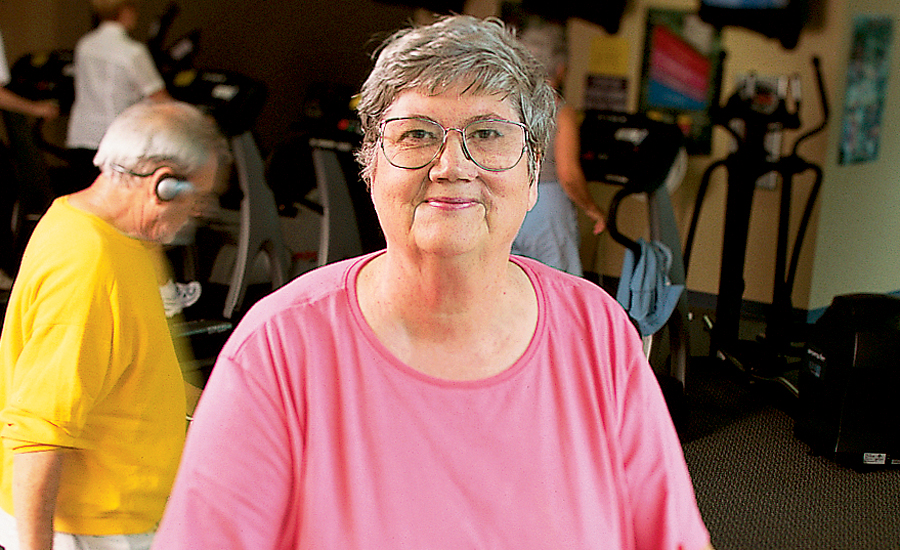
I also knew how to do it: diet and exercise. All right, I stink at the diet part, I thought. I'll focus on exercise. I'd just read in the paper about the Patrick Henry Hayes Senior Citizens Center opening in town, with a track and a state-of-the-art gym.

The next morning, with my doctor's okay, I went to the senior center. Only $10 for a full year's membership—no excuse not to try it. The gleaming equipment in the gym intimidated me, so I laced up my sneakers and hit the track.

I huffed and puffed and got only a quarter of a mile around while the other gray-haired folks sped past me as if they were Olympic sprinters.

It took me a couple of weeks to work up the nerve to try the treadmill. There was a machine free between two older gentlemen, who were moving at a rapid clip and carrying on a spirited political debate. I stepped onto the treadmill, attached the safety line and peered at the control panel.

Words winked across the electronic ticker: "Select program … speed … grade … distance … calories." What? Thank goodness there was a button labeled "manual" with up and down arrows under it. That's it. I could set my own speed. Slow.

I tentatively pressed the up arrow. The conveyor belt moved under my feet. Whoa! I grabbed the handrails and took a step. Then another, and another.

"That's it, you got the hang of it!" the man running on the treadmill on my right told me.

"Thanks," I said, too afraid of falling off to turn my head and look at him.

He chuckled. "I'm 80 years old. And my friend on your left, he's 84," he said. "A young lady like yourself will catch up in no time."

Yeah, right. At no time in the next months did it seem like I would ever get up to speed, even though I went to the gym every day. Okay, I lost weight, but I still clung to the handrails and my leg muscles screamed. Meanwhile, my 80-something workout buddies ran on, arms pumping, feet blurring.

Lord, I am in serious need of some inspiration. Maybe that's why an article in the health and fitness section of the paper caught my eye at the end of May. Judy Hayes, an Iowa woman about my age, had walked her way back into shape—at least 10,000 steps a day. Ten thousand!

She lost weight, her arthritis improved and she never went anywhere without her pedometer. Then I got to a line about her heel spurs vanishing. Without surgery? Yeah, and she's probably back to her normal size four. Out of habit, I clipped the article anyway.

Several weeks later I dragged my aching self home from the gym wanting never to go back. Two months of self-torture on the treadmill and I still couldn't even do a 20-minute half mile! It was like living my dieting failures all over again.

"Why should I keep trying?" I practically shouted. "What's the use when I make so little progress?" How in the world did that woman in Iowa manage 10,000 steps every day? I wondered. Then it occurred to me, Why don't you call her and find out?

I dug out the clipping, looked up Mrs. Hayes's number on the internet and dialed. "Please, just call me Judy," she said. Heart disease ran in her family, and Judy knew she would be headed for the operating table like her brothers if she didn't lose weight and get in shape. So she took up walking.

Judy was so easy to talk to, I found myself telling her about my struggles, how I was ready to chuck my sneakers and my new fitness program in the trash. "Please don't give up, Jeanette," she said. "My first month I lost only two pounds.

"I would've quit, but my brother convinced me to pray while I walked. It worked! I guess God keeps me going." Judy laughed. "Just take it step by step. Before you know it, you'll be up to 10,000."

She said the pain from her heel spurs was gone, then asked, "By the way, you are stretching before and after you walk?"

"Stretching?" I said. "I've seen some of the women at the gym do it." Raising their arms, extending their legs. I'd never thought to try it, since my muscles were so sore I could barely climb onto the treadmill.

"Ask one of those ladies to help you," Judy said. "Meanwhile, I'll say a prayer for you on my next walk."

I took my new friend's advice and asked a woman at the gym to show me how to stretch. Boy, it was hard! I stuck with it, though. Sure, I'm still sore after my workouts. But a lot less sore.

And I can do a lot more. Guess how many steps I walk between morning and bedtime? Ten thousand. Just like Judy, who persuaded me to get a pedometer so I could see for myself how each little step adds up.

My treadmill partners better look out. I'm nipping at their heels, clocking a 20-minute mile. Believe it or not, I've changed my diet too. Now it's whole grains, lean meats, fresh vegetables and fruits … and I'll admit it, the once-in-a-blue-moon deep-fried Twinkie (just a bite, though).

I'm down to a size 22, and I've lost 26 pounds.

Becoming fit is a slow process for me, but I'm getting there. Step by step, like Judy says. It took me a long time to put on the weight. It's only natural it will take time to lose it. That's okay. Like Judy, I can use my walking time to pray.

Prayer and fitness have a lot in common. You might not see results right away, but if you stick with it, you will. Commitment, that's the key, a step at a time.

Download your FREE ebook, Paths to Happiness: 7 Real Life Stories of Personal Growth, Self-Improvement and Positive Change.

Happy Birthday Old Friend!

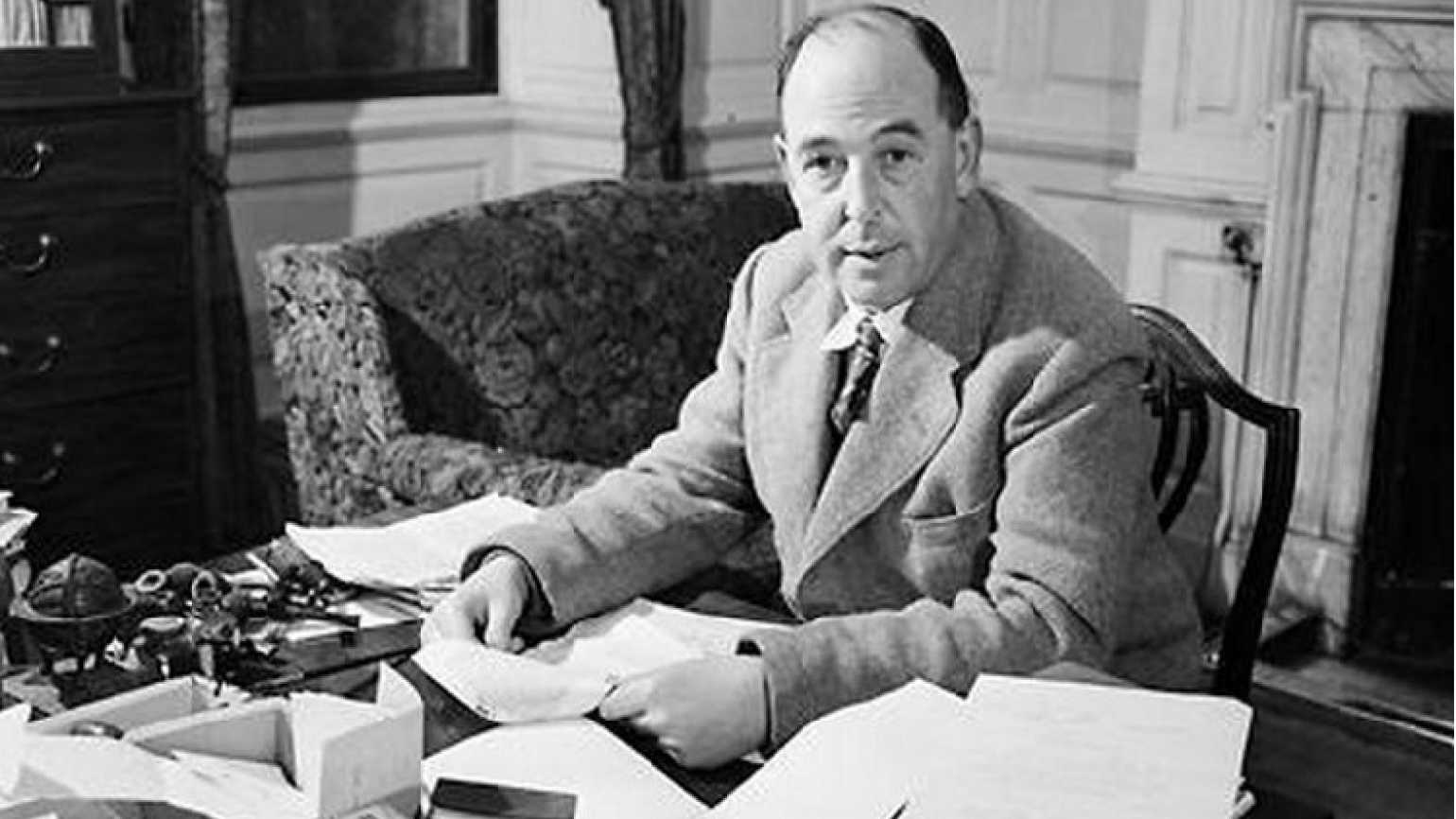
C.S. Lewis wrote somewhere that it was certainly all right to pray for the dead because when you get to a certain point in life your dearest friends aren’t around. 

Not sure I’ve reached that stage yet, but I certainly think a lot about my old friend and mentor Van Varner, a longtime GUIDEPOSTS editor and former editor-in-chief. June 6 would have been his 86th birthday and if he were around this year—I mean physically—he would be sitting at the Belmont track in his seersucker suit for the running of his second most favorite race (his first, naturally, would be the Kentucky Derby).

Walking with Jesus L&E evergreen_in article ad

I think about him every time I edit a GUIDEPOSTS story and his classic advice about storytelling: “Tears should be in the eyes of the reader, not the narrator.” 

I think of him when I see a big dog loping down the streets of New York—he adored dogs. Readers often ask what happened to Coke, his last dog. You will be glad to know that Coke is in the care of Van’s nephew Gordon and from reports, very happy. 

I think of the stories he told that made him laugh so hard his face would turn purple.  

I think of him when I read Daily Guideposts devotionals. He knew how to find the godly in the everyday. 

I think of him when we pray on Monday mornings for others. His curiosity about people was immense. 

I think about his ratty old knapsack—his reticule, he called it—and how it always brimmed over with manuscripts. 

I don’t worry that he’s happy—he had a gift for happiness that surely has followed him into the beyond. I pray simply because I miss him. When you love somebody they’re always in your prayers, whether in this world or the next. Happy Birthday, Van!
 

Rick Hamlin is the executive editor at GUIDEPOSTS.

—–

Watch Rick’s video about Van.